
Giveaway + Twitch
Users in Twitch are able to gain extra entries to the giveaway, there are several ways described below:
- Active chat participation.
- Claiming the Per-Stream giveaway redeem for Channel Points.
- Entering the On-Stream giveaway via !enter.
Note: You can use the !checkme command in chat at any time to verify your eligibility status. Please make sure to check this before redeeming giveaway entries with channel points, as each user can only redeem entries once per stream and these points cannot be refunded.
To be able to get Twitch based entries, you must have completed at least the ‘Follow us on Twitch’ entry first.
How can I fix it?
Firstly ensure that you have your Twitch account linked to your Discord account, here’s how:
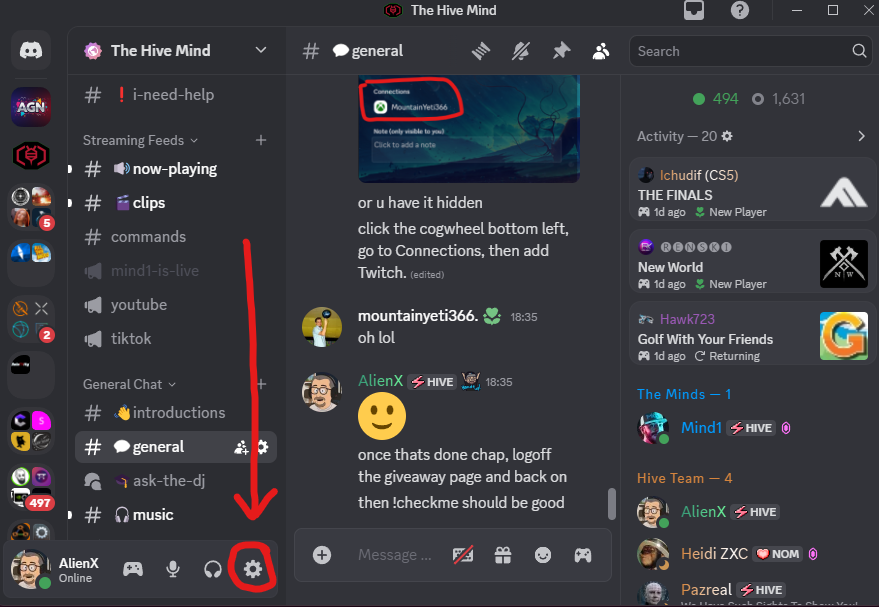
- Click the settings cogwheel
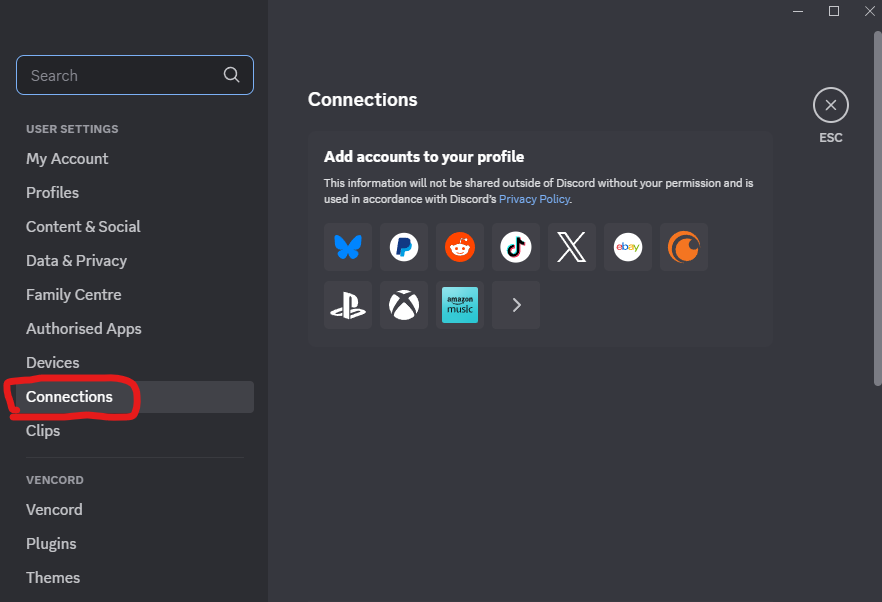
- Go to the Connections settings area
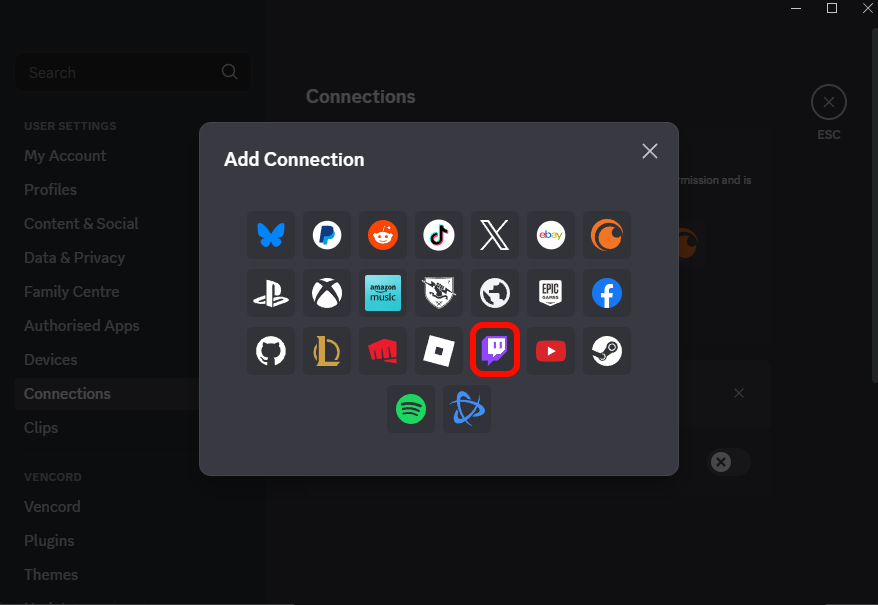
- Add a connection to Twitch
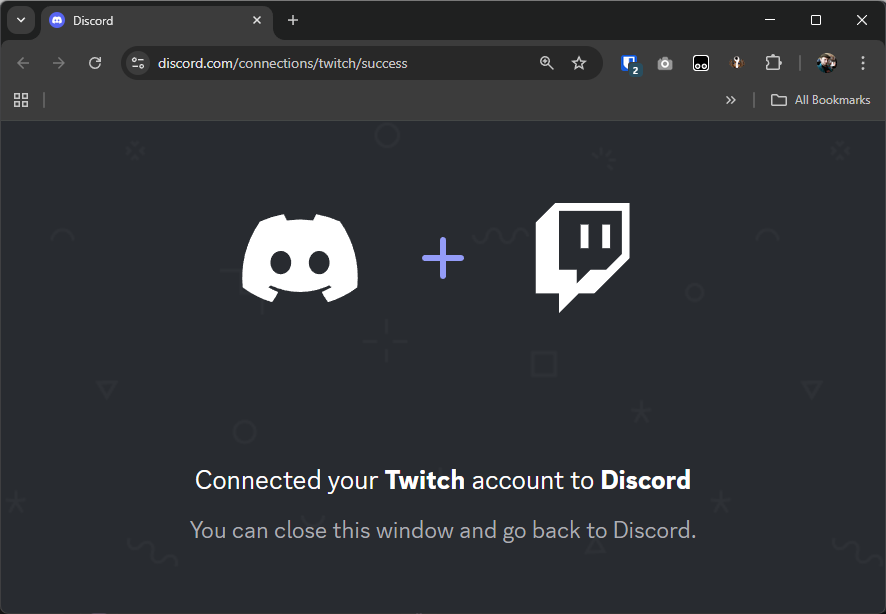
- Your internet browser will open, login with Twitch (if asked). Once complete you will see this screen
- Now login to the giveaway using your discord account and ensure you complete at least the Follow on Twitch giveaway action.